Customer Reviews Icons: Showcase Trust and Feedback
Trust is the currency of the digital marketplace. Every star, every comment bubble, every verified badge works silently to reassure a potential buyer, a new user, or a visitor wondering whether they can rely on your brand. The Customer Reviews Icons pack turns that abstract need for credibility into a visual language that communicates instantly. Whether you are designing a product page, building a dashboard, or preparing a pitch deck, these icons help you place customer sentiment front and center without overwhelming the viewer.
Why Consistent Iconography Matters for Feedback
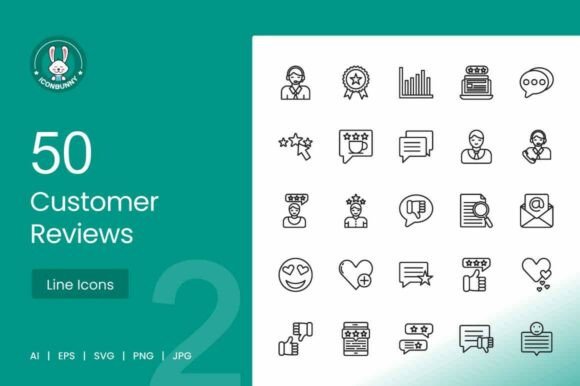
User feedback is rarely one-dimensional. A rating might be a simple number, but the emotional weight behind it ranges from delight to disappointment. Icons bridge that gap by giving abstract data a recognizable shape. A star outline feels different from a filled star, and a thumbs‑up carries a different energy than a smiley face. With 50 unique icons covering star ratings, thumbs up/down, comment boxes, user avatars, quote bubbles, feedback forms, verified badges, emoji reactions, satisfaction meters, and review cards, you have the vocabulary to express nuance.
The consistent line style across the pack ensures that no matter which icon you drop into a layout, it harmonises with your existing UI. This coherence is often overlooked but critical when you are mixing elements like a testimonial card next to a satisfaction meter. The user’s eye moves smoothly because the visual rhythm stays the same.
eCommerce Product Pages
Imagine a product detail page where the star rating sits next to a verified purchase badge. The combination instantly lifts credibility. You can place a small quote bubble with a snippet of a five‑star review beside the “Add to Cart” button. These icons do more than decorate—they nudge the buyer toward conversion. For marketplaces with thousands of SKUs, having a scalable set of vector icons means you can reuse the same assets across categories without resolution loss.
SaaS Dashboards and Admin Panels
B2B products often need to display customer satisfaction scores, NPS meters, or support ratings. A satisfaction meter icon or a review card symbol can become part of your dashboard’s widget design. When a user sees a clear, consistent metaphor for feedback, they interpret data faster. For example, an NPS score shown next to a thumbs up/down icon feels more intuitive than a raw number alone.
Mobile Apps and UI Kits
Mobile interfaces demand clarity at small sizes. The icons in this pack are built as high‑resolution vectors (1024×1024 px at 72 DPI), which means they remain crisp even when scaled down for a compact profile view. Think of a travel app where users rate hotels using a star scale, or a food delivery app that prompts a quick emoji reaction after an order. Each icon can slot into a button, a tooltip, or a modal without visual noise.
Marketing Campaigns and Social Proof
Landing pages often include a testimonial section with quotes and avatars. A well‑placed quote bubble icon beside a client photo draws the eye and reinforces the message. For A/B testing, you might try a version with a verified badge next to each testimonial and measure trust lift. The same icons can be exported to PNG or JPG for email headers, slide decks, or infographics.
Designers and UX Professionals
If you are constructing a design system, consistency is your priority. The pack’s uniform line style and scalable vector files (AI, EPS, SVG) integrate seamlessly into Figma, Sketch, or Adobe Illustrator libraries. You can colour the strokes to match your brand palette or adjust thickness without degrading quality. For prototyping, drop an SVG directly into a frame and watch user testing participants respond to familiar feedback cues.
Marketers and Content Creators
Marketers often need to illustrate customer satisfaction in reports, slides, or social posts. Instead of generic stock graphics, use the feedback forms and star rating icons to build a custom chart or callout. A slide about “92% customer satisfaction” gains impact when paired with a clean satisfaction meter icon. For Instagram stories or LinkedIn posts, a review card icon with a pull quote can be a subtle way to highlight social proof.
Small Business Owners and Entrepreneurs
When your website is still growing, every element that builds trust matters. Simple icons like a verified badge or a comment box can be placed on a testimonial page, a contact form, or a checkout page. You do not need a large design team—import the SVG or PNG and drop it into your site builder. The icons work equally well on a simple two‑page site or a multi‑store eCommerce setup.
Keeping Your Visuals Clear and Effective
Layering multiple feedback icons on one screen can dilute their impact. Choose a maximum of three distinct icon types per page section. For example, on a product page, stick to star ratings, a verified badge, and maybe one quote bubble. Overloading a testimonial wall with avatars, thumbs, metres, and emojis creates visual clutter that contradicts the trust you aim to build.
Also consider cultural variation: a thumbs‑up may carry different connotations depending on your audience. While the icons are designed with broad appeal, test them with a sample of your target market. The emoji reactions and satisfaction meters tend to be universally understood, but context always matters.
Real‑World Examples in Action
- E‑commerce loyalty dashboard: A monthly email for repeat customers includes a personalised star rating icon and a “Share Your Feedback” link next to each purchased item. Click‑through rates improve because the visual cue feels personal.
- Feedback form in a SaaS tool: After closing a support ticket, a modal appears with a thumbs up/down icon and a text box. The simplicity of the icon encourages quick input, and the company gathers real‑time satisfaction data.
- Presentation for investors: A slide titled “User Sentiment at a Glance” uses a line of review card icons with growth arrows, combined with a satisfaction meter. The visual shorthand communicates traction without a dense table.
- Mobile app onboarding: New users see a quote bubble icon with a tip: “Tap here to tell us what you think.” The icon makes the action discoverable and non‑threatening.
Adapting Icons for Different Formats
The pack includes AI, EPS, SVG, PNG, and JPG—covering both vector and raster needs. For print materials like brochures or posters, use EPS or high‑resolution PNG. For web, SVG is ideal because it adapts to retina displays and remains lightweight. In presentations, paste an SVG directly into PowerPoint or Keynote and resize without pixelation. If you work with Canva, upload the PNG version and recolor it using your brand palette.
Balancing Originality with Consistency
Because the icons share a consistent line style, you can mix and match freely without worrying about visual clash. Yet each icon has its own distinct silhouette—star ratings feel geometric and precise, while quote bubbles are soft and conversational. Respect those differences. A feedback form icon with its structured lines belongs in a settings or analytics area, while an emoji reaction icon works better in a playful context like a post‑purchase survey.
Do not be afraid to rotate or flip icons for asymmetry in layouts—just keep orientation logical. A thumbs‑up facing right may work for “next” actions, but an upward orientation usually feels more positive.
Final Recommendations for Implementation
Start by identifying the three most common feedback interactions your audience will face. Map each interaction to a specific icon from the pack. For a typical eCommerce store, that might be star rating for product reviews, comment bubble for questions, and verified badge for trust seals. Import the SVGs into your design tool, assign brand colours using layers, and export as needed for developers.
Test the icons with real users. Sometimes a star rating is perceived differently than an emoji scale—run a quick preference test to see which drives higher engagement. Once you settle on a set, document the usage guidelines so your team applies the icons consistently across touchpoints.
The Customer Reviews Icons pack gives you a ready‑made visual shorthand for one of the most persuasive elements in digital design: authentic feedback. By placing these symbols thoughtfully, you turn abstract approval into something people see, trust, and act on.